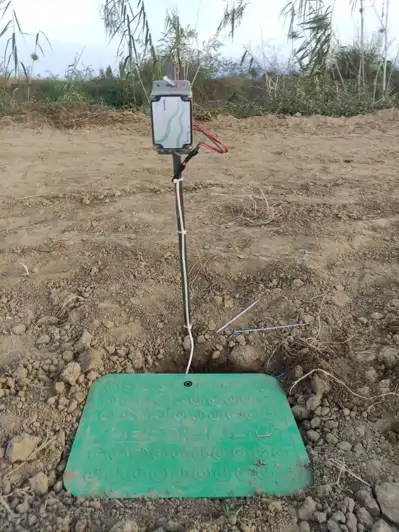
You can easily add a pressure sensor to your operation by following the steps below
How Do I Add a Pressure Sensor to the Operation? How can I define a pressure sensor to the central station I purchased? Where is the pressure sensor serial number written?
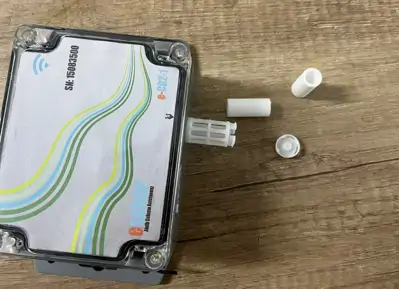
The serial number required to add a pressure sensor to your operation is written on the central station sent to you. The last 8 digits of the 16-digit MAC address located on the central station is your pressure sensor serial number. You can easily define the pressure sensor to your operation by following the instructions given in order according to the numbers of the images below.
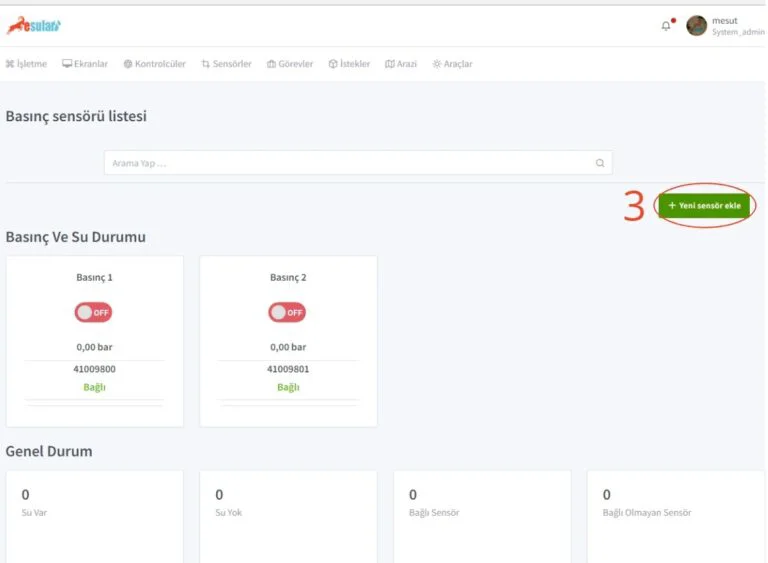
Log in to the application page with the username and password defined for you. 1- After logging in, click on the “Sensors” tab located on the home page. 2- After clicking, click on the “Pressure Sensor” section in the tab that opens.
On the page that opens after completing the above steps; 3- Let's press the “Add new sensor” button.
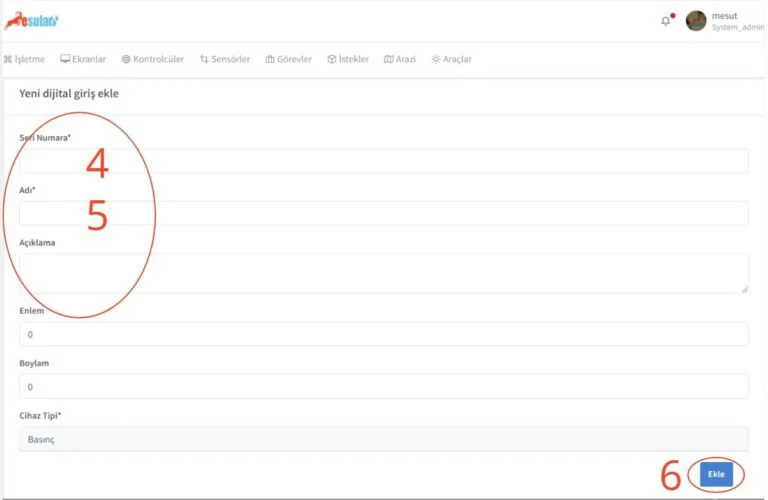
On the page that opens after completing all the steps above; 4- Let's enter the 8-digit “Serial Number”. 5- Let's write the name we want to give to the device in the “Name” section. 6- After performing all the steps, let's save by saying “Add”. After performing all these steps, we have registered our pressure sensor to our operation and it is ready for use.
Click the button below for the general features of the wireless battery-powered pressure sensor.